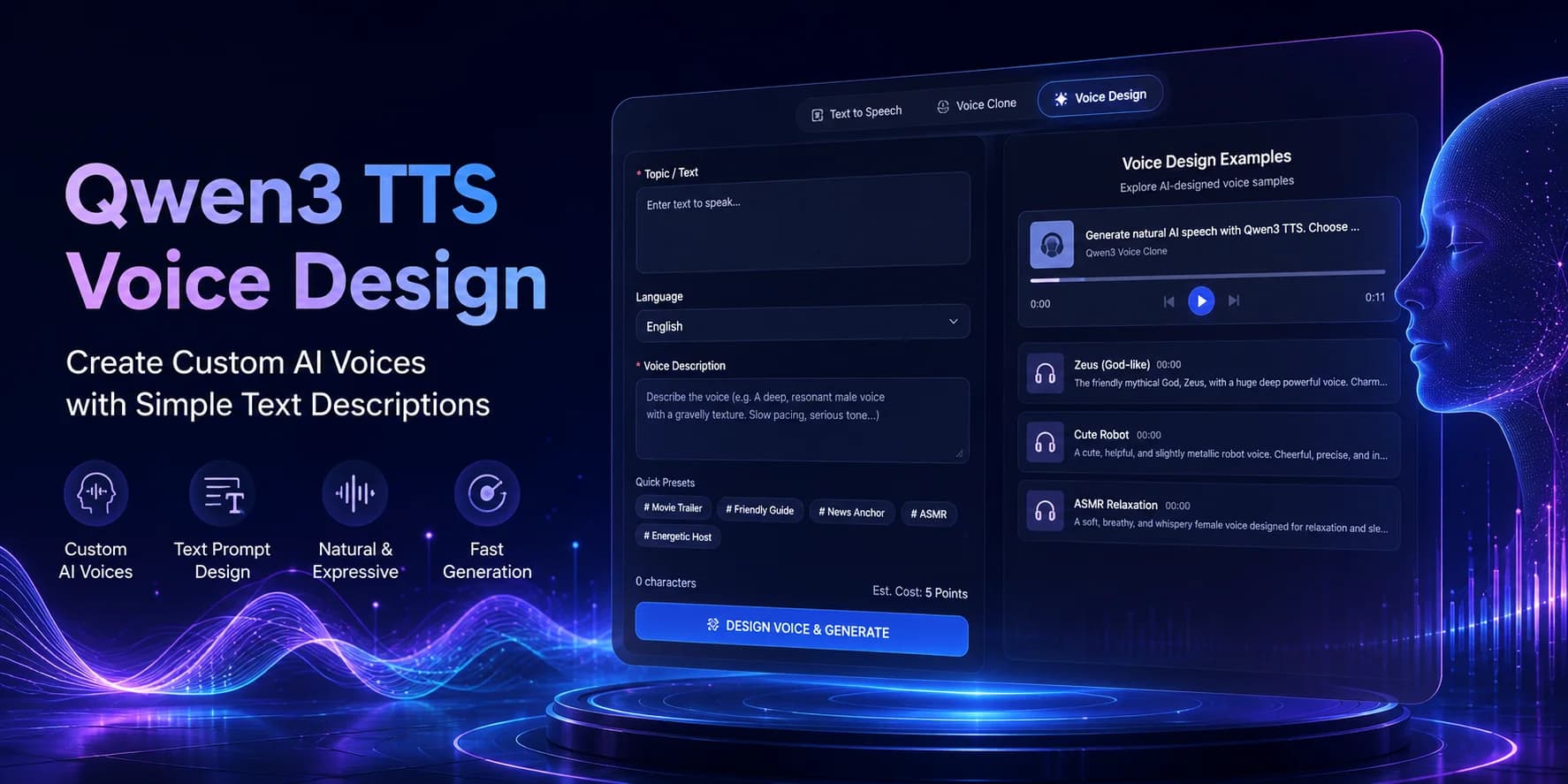
Create unique AI voices from simple text descriptions with Qwen3 AI Voice Design. Learn how AI Voice Design works, write better AI Voice Design prompts, compare AI Voice Design with AI Voice Cloning, and build custom AI voices for videos, games, education, AI assistants, and commercial applications.
Quick Answer
Qwen3 AI Voice Design is an AI voice design workflow that creates completely new synthetic voices from natural language descriptions instead of reference recordings. Rather than cloning an existing speaker, users describe the desired voice—such as age, gender, personality, speaking style, emotion, accent, or tone—and the system generates a brand-new AI voice that can later be used for speech synthesis.
This makes AI voice design fundamentally different from AI voice cloning. Voice cloning reproduces an existing speaker from reference audio,while AI Voice Design creates original voices that do not depend on a recorded sample.
Whether you are building AI assistants, designing game characters, producing marketing videos, or creating branded narration, Qwen3 AI Voice Design provides a flexible way to develop custom AI voices for different production workflows.
This guide explains how AI voice design works, how to write effective voice prompts, common mistakes to avoid, and practical techniques for creating more natural and expressive AI voices.
What Is Qwen3 TTS Voice Design?
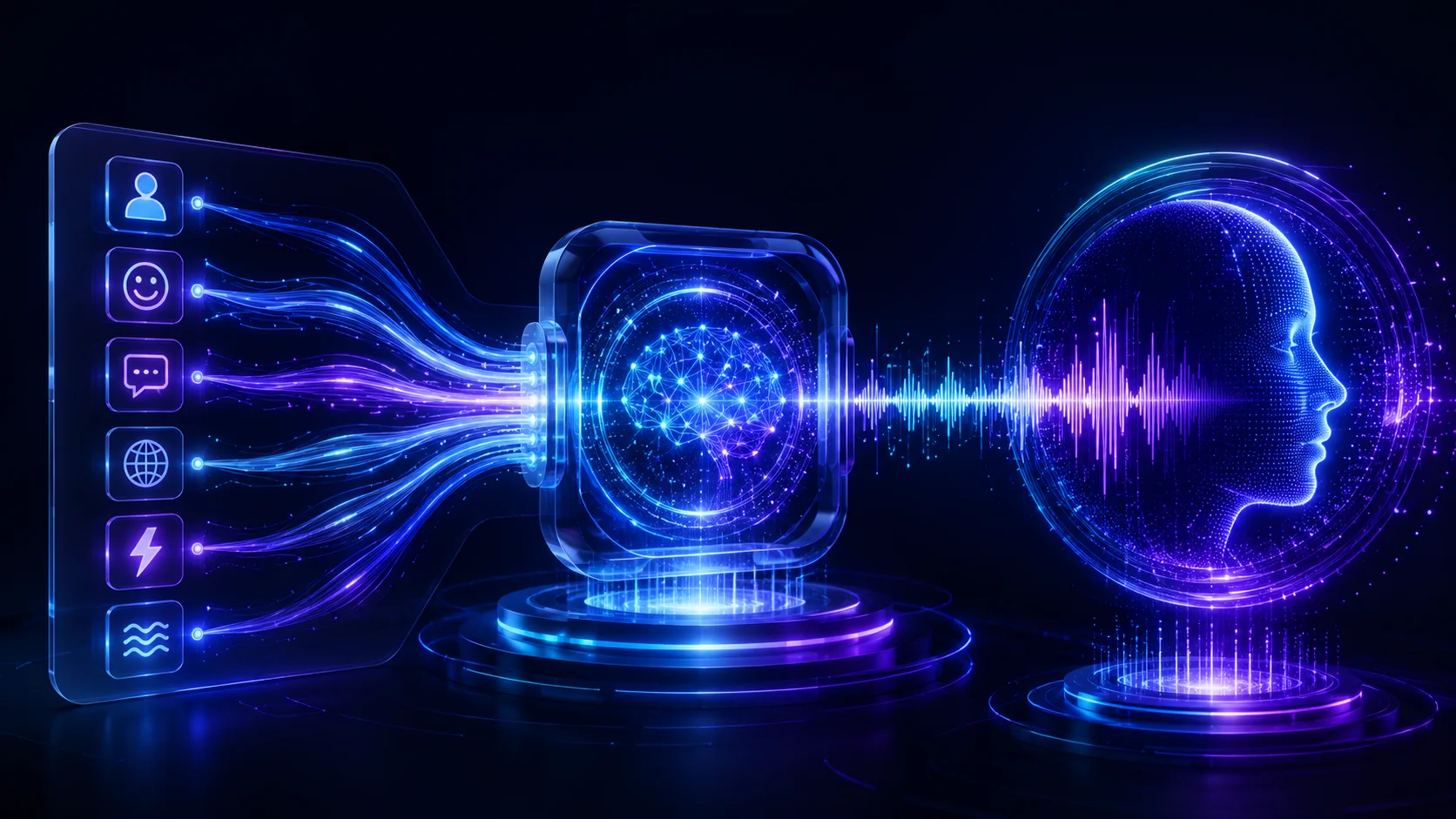
Qwen3 AI Voice Design is an AI voice design capability that allows users to create entirely new synthetic voices from written descriptions. Instead of uploading a reference recording, users describe the voice they want, and the system generates a new AI voice based on those characteristics.
This approach makes custom AI voice creation much more flexible than traditional AI Voice Cloning. Rather than reproducing a real speaker, AI Voice Design creates original digital voices that can be used across multiple projects while maintaining a consistent vocal identity.
A typical AI voice description may include information such as:
-
age
-
gender
-
personality
-
emotional tone
-
speaking style
-
accent
-
vocal energy
-
delivery speed
The AI combines these characteristics to build a completely new synthetic voice suitable for future speech generation.
For creators who need distinctive narrators, fictional characters, virtual assistants, or branded voices, Qwen3 AI Voice Design offers a practical workflow for producing original AI voices without requiring any existing recordings.
How AI Voice Design Works

Unlike AI Voice Cloning, which analyzes a recorded speaker, AI Voice Design begins with language.
Instead of asking,
"Who should this voice sound like?"
the system asks,
"What kind of AI voice should this be?"
Although implementations vary, most AI Voice Design workflows follow four general stages.
Step 1 — Describe the AI Voice
Everything begins with a natural language prompt.
Users describe the AI voice they want to create, including characteristics such as:
-
age
-
gender
-
confidence
-
friendliness
-
professionalism
-
emotional tone
-
speaking speed
-
accent
For example:
A calm female narrator in her thirties with a warm, confident tone, speaking naturally for educational videos.
The more specific the description, the easier it becomes for the AI Voice Design system to understand the intended voice style.
Step 2 — Build an AI Voice Profile
Instead of copying an existing speaker, the AI Voice Design model converts the written description into an internal voice representation.
This representation may include information related to:
-
vocal tone
-
pitch range
-
rhythm
-
pacing
-
speaking style
-
expressive characteristics
Unlike AI Voice Cloning, no reference recording is required during this stage.
Step 3 — Combine the AI Voice with Text
Once the AI voice profile has been created, the system combines it with the text you want to speak.
The generated AI voice attempts to maintain the characteristics described in the prompt while producing natural speech across different scripts.
Because the voice is generated from descriptive instructions rather than recorded audio, creators can reuse the same AI voice profile for multiple projects without maintaining a library of reference recordings.
Step 4 — Generate Custom AI Voices
The final stage synthesizes a completely original AI voice.
Instead of reproducing an existing speaker, Qwen3 AI Voice Design generates a unique voice based on the prompt you provided.
Many creators refine the generated AI voice over several iterations by adjusting personality, emotion, pacing, or speaking style until the output matches their creative goals.
AI Voice Design vs AI Voice Cloning
Although both technologies generate speech, they solve different creative problems.
In practice, these technologies often complement each other rather than compete.
Creators may use AI voice design to invent a completely new character voice for a game, while using AI voice cloning to preserve the narrator's voice across an online course or podcast series.
Why Use AI Voice Design?

For many creators, recording the perfect voice is not always possible. Some projects require voices that do not exist in real life, while others need a distinctive brand identity that remains consistent across every customer interaction.
AI Voice Design makes these scenarios possible without hiring multiple voice actors or maintaining extensive recording libraries. Instead of copying an existing speaker, you can create a completely original AI voice that matches your project's personality, audience, and creative goals.
Common advantages include:
-
creating unique AI personalities
-
building recognizable AI brand voices
-
generating fictional character voices
-
producing multilingual AI assistants
-
maintaining a consistent voice identity across products
-
reducing voice production costs for iterative projects
As AI speech technology continues to evolve, Qwen3 AI Voice Design provides a flexible foundation for creators who want to design voices instead of simply reproducing them.
Key Features of Qwen3 AI Voice Design
Qwen3 AI Voice Design is designed for creators who need more than standard text-to-speech. Instead of relying on predefined voices or cloning an existing speaker, it enables users to design completely new AI voices through natural language descriptions.
This makes AI Voice Design suitable for creative production, brand identity, software development, digital entertainment, education, and commercial content creation.
Below are the key capabilities that make Qwen3 AI Voice Design valuable for modern AI voice creation workflows.
Create Custom AI Voices Without Reference Audio
The biggest advantage of Qwen3 AI Voice Design is that it does not require an existing voice recording.
Instead of uploading reference audio, you simply describe the AI voice you want to create. The system interprets your prompt and generates a completely original synthetic voice based on the requested characteristics.
This workflow is ideal for:
-
original virtual characters
-
AI assistants
-
branded narrators
-
educational presenters
-
fictional personalities
Because every voice begins with a text description rather than recorded audio, creators have significantly more creative freedom than traditional AI Voice Cloning workflows.
Control Voice Personality Through Natural Language
One of the most powerful aspects of AI Voice Design is the ability to shape vocal identity using everyday language.
Instead of adjusting complicated acoustic parameters, users can describe qualities such as:
-
warm
-
energetic
-
professional
-
confident
-
friendly
-
serious
-
humorous
-
calm
The AI interprets these descriptions to create a voice personality that matches the intended speaking style.
This prompt-driven workflow makes custom AI voice creation accessible even for users without audio engineering experience.
Build Consistent AI Brand Voices
Many companies want every customer interaction to sound consistent, whether the voice appears in videos, mobile apps, customer support, or training materials.
Qwen3 AI Voice Design makes it possible to create a recognizable AI brand voice that can be reused across multiple projects.
Common business applications include:
-
product demonstrations
-
customer onboarding
-
software tutorials
-
AI assistants
-
marketing campaigns
Maintaining one consistent AI-generated voice strengthens brand recognition while reducing repetitive recording work.
Support Creative Character Voice Design
Game developers, animation studios, and interactive storytelling platforms often require voices that do not exist in reality.
Rather than imitating a real speaker, AI Voice Design allows creators to invent completely new personalities for fictional characters.
Examples include:
-
fantasy heroes
-
science-fiction robots
-
magical creatures
-
historical narrators
-
children's story characters
This flexibility makes Qwen3 AI Voice Design particularly valuable for entertainment, gaming, and interactive media.
Integrate with AI Content Creation Workflows
For many creators, voice generation is only one step in a larger production pipeline.
A typical workflow might look like this:
AI Writing → AI Voice Design → Speech Generation → Video Editing → Publishing
Because Qwen3 AI Voice Design creates reusable voice identities, the same AI voice can support multiple scripts without redesigning the voice for every project.
This makes the workflow ideal for scalable AI content production.
How to Use Qwen3 AI Voice Design
The Qwen3 TTS interface allows users to create original AI voices using natural language descriptions instead of reference recordings.
Although different platforms may present the interface differently, the overall workflow remains very similar.
Step 1 — Switch to the Voice Design Workspace
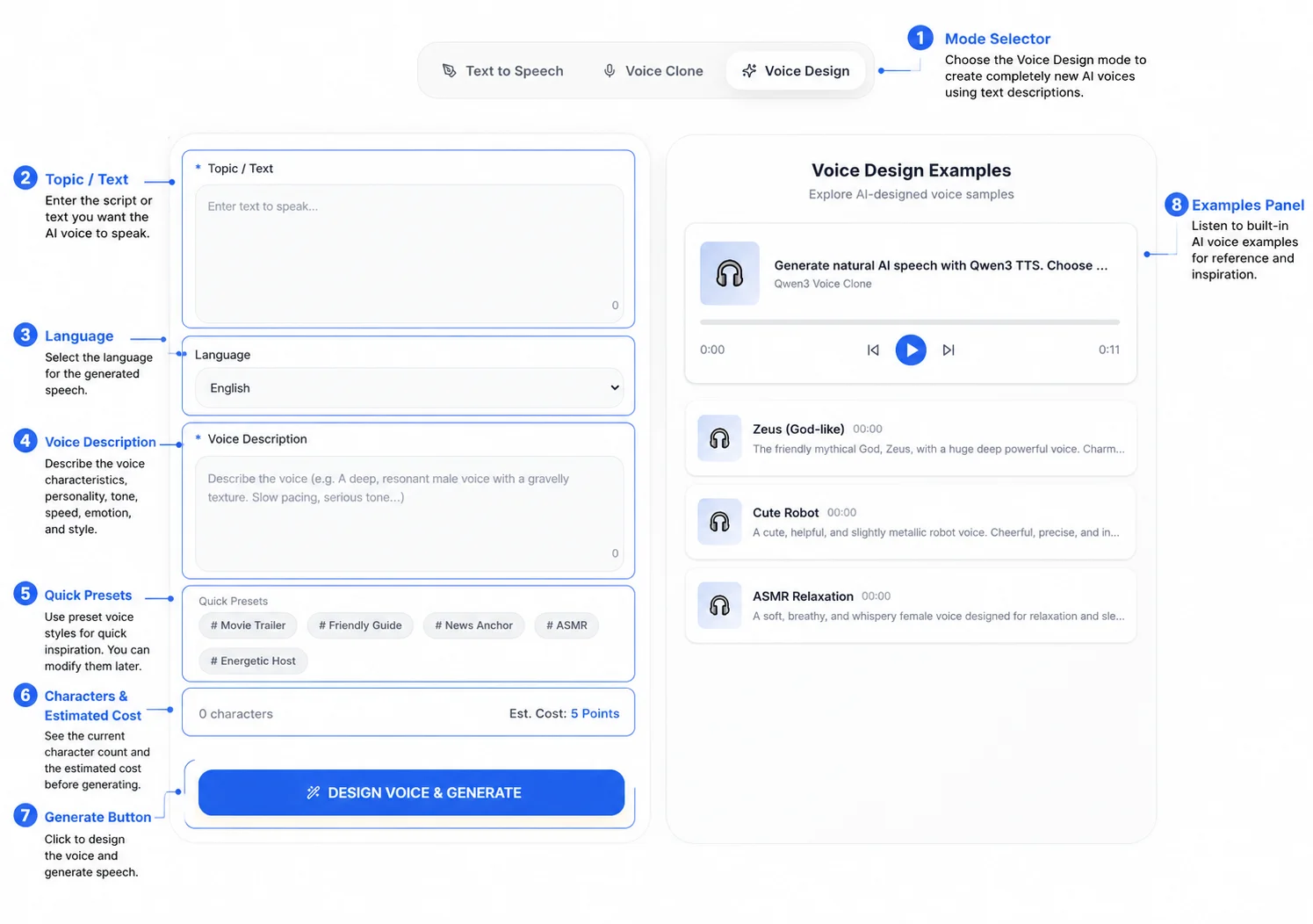
Begin by selecting the Voice Design tab at the top of the interface.
You'll notice three available generation modes:
-
Text to Speech — Uses existing built-in voices to convert text into speech.
-
Voice Clone — Recreates the characteristics of a real speaker from a reference recording.
-
Voice Design — Creates a brand-new AI voice from a written description.
For this tutorial, select Voice Design to begin your AI Voice Design workflow.
Tip: If you want to invent a completely new narrator or fictional character, Voice Design is the correct mode. If you want to reproduce an existing person's voice, choose Voice Clone instead.
Step 2 — Enter the Text You Want the AI Voice to Speak
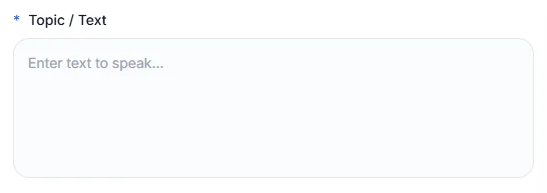
The first input field is Topic / Text.
This is where you enter the script that your newly designed AI voice will read.
For example:
Welcome to our AI productivity platform. In this tutorial, you'll learn how to automate repetitive tasks and improve your daily workflow.
For better speech quality:
-
Write complete, natural sentences.
-
Use punctuation to create natural pauses.
-
Avoid extremely long paragraphs.
-
Review names and technical terminology before generating.
Your script determines what the AI voice says, while the Voice Description determines how the AI voice sounds.
Step 3 — Choose the Output Language
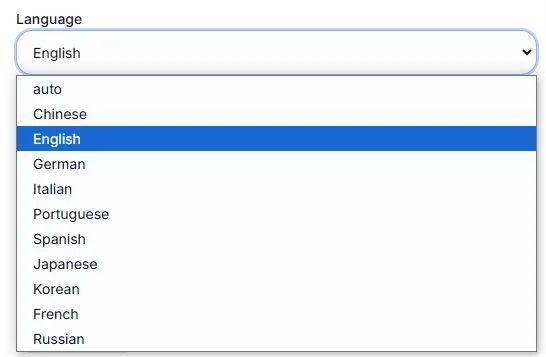
Below the script editor is the Language dropdown.
Select the language that matches your script.
Examples include:
-
English
-
Chinese
-
Japanese
-
Other supported languages
Choosing the correct language helps the AI generate more natural pronunciation, rhythm, and sentence flow.
For multilingual projects, generate each language separately for the best overall quality.
Step 4 — Describe Your Ideal AI Voice
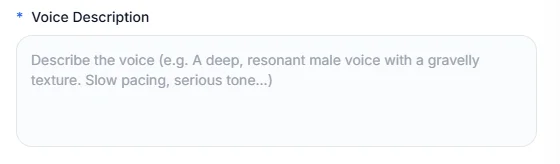
The Voice Description field is the core of the AI Voice Design workflow.
Instead of uploading a reference recording, describe the voice you want AI to create.
A strong description usually includes:
-
age
-
personality
-
vocal tone
-
speaking speed
-
emotion
-
delivery style
-
intended use
For example:
A confident female technology presenter in her early thirties with a warm, professional tone. Speak naturally at a moderate pace for educational videos.
Another example:
A deep cinematic male narrator with a calm, authoritative voice suitable for movie trailers.
The more detailed and natural your description is, the easier it becomes for AI to generate a voice that matches your creative vision.
Best Practice: Describe the speaker as if you were directing a professional voice actor instead of writing isolated keywords.
Step 5 — Try a Quick Preset for Inspiration
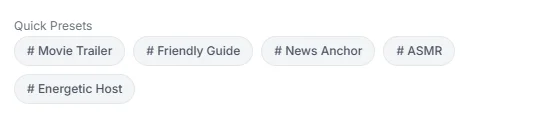
Below the Voice Description field, you'll find several Quick Presets that provide instant inspiration for common AI voice styles.
Examples include:
-
Movie Trailer
-
Friendly Guide
-
News Anchor
-
ASMR
-
Energetic Host
Selecting one of these presets automatically generates a starting description.
You can then refine the result by adding personality, pacing, emotion, or intended use cases to create a more customized AI voice.
Quick Presets are particularly useful if you're new to AI Voice Design or want to explore different speaking styles more efficiently.
Step 6 — Review Character Count and Estimated Cost

Before generating your AI voice, review the information displayed beneath the input fields.
The interface shows:
-
current character count
-
estimated generation cost
Checking these values helps you estimate resource usage before running large voice generation tasks.
If you're experimenting with prompts, consider starting with a shorter script before generating longer narrations.
Step 7 — Click "Design Voice & Generate"

Once your script, language, and Voice Description are ready, click Design Voice & Generate.
The system analyzes:
-
your script
-
selected language
-
Voice Description
-
speaking style
It then creates a brand-new AI voice and generates speech using the designed vocal characteristics.
Unlike Voice Clone, the generated voice is created entirely from your prompt rather than copied from an existing speaker.
Step 8 — Listen to the Generated Voice and Compare Examples
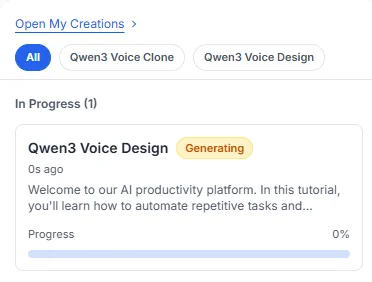
After generation, carefully listen to the output and compare it with the example voices provided in the right-hand panel.
You'll typically find examples such as:
-
Zeus (God-like)
-
Cute Robot
-
ASMR Relaxation
Comparing different AI-generated voices helps you understand how prompt wording influences the final result.
If the generated voice doesn't fully match your expectations, modify only one or two aspects of your Voice Description—such as emotion, pacing, or personality—and generate another version.
Small iterative improvements usually produce more consistent and natural AI voices than completely rewriting the prompt each time.
💡 Expert Tip
When using Qwen3 AI Voice Design, focus on describing the identity of the speaker rather than simply listing vocal traits.
Instead of writing:
Female voice. Calm.
Try:
A friendly museum guide in her thirties with a warm, knowledgeable tone. Speak clearly and naturally while making visitors feel welcome.
Descriptions that include personality, context, audience, and intended use consistently produce more expressive, natural, and believable AI voices than short generic prompts.
Best AI Voice Design Settings(新增)
Although Qwen3 AI Voice Design relies primarily on natural language prompts rather than complex audio parameters, the way you structure your prompts has a significant impact on the final voice quality.
The following best practices can help you create more natural, expressive, and consistent AI voices.
Keep Voice Descriptions Between 30–80 Words
Very short prompts often provide too little context, while extremely long prompts may include unnecessary or conflicting instructions.
Aim for a concise but descriptive voice prompt that clearly explains the speaker's personality, tone, speaking style, and intended use.
Describe Personality Before Physical Characteristics
Instead of focusing only on age or gender, explain how the speaker communicates.
For example, instead of writing:
Young female voice.
Try:
A confident young entrepreneur with an energetic, optimistic speaking style and natural conversational rhythm.
Personality usually has a much greater impact on the generated AI voice than physical characteristics alone.
Include the Intended Use Case
Context helps AI understand how the voice should perform.
For example:
-
customer support
-
educational videos
-
podcasts
-
YouTube narration
-
game dialogue
-
audiobook narration
Adding a use case typically produces more consistent delivery.
Specify Speaking Pace Naturally
Rather than using vague instructions such as "slow" or "fast," describe the delivery style naturally.
Examples include:
-
Speak calmly with comfortable pauses.
-
Maintain a conversational pace.
-
Deliver the narration with confident rhythm.
-
Use energetic pacing suitable for promotional videos.
Natural descriptions generally produce smoother speech.
Change One Variable at a Time
If your generated voice is already close to your target, avoid rewriting the entire prompt.
Instead, adjust only one characteristic, such as:
-
confidence
-
warmth
-
pacing
-
emotional intensity
-
enthusiasm
Small refinements usually produce better results than completely changing the description.
Save Successful Voice Prompts
Once you create a voice that matches your project, save the original prompt.
Building a reusable prompt library makes it much easier to maintain consistent AI voices across future videos, applications, and commercial projects.
How to Write Better AI Voice Design Prompts
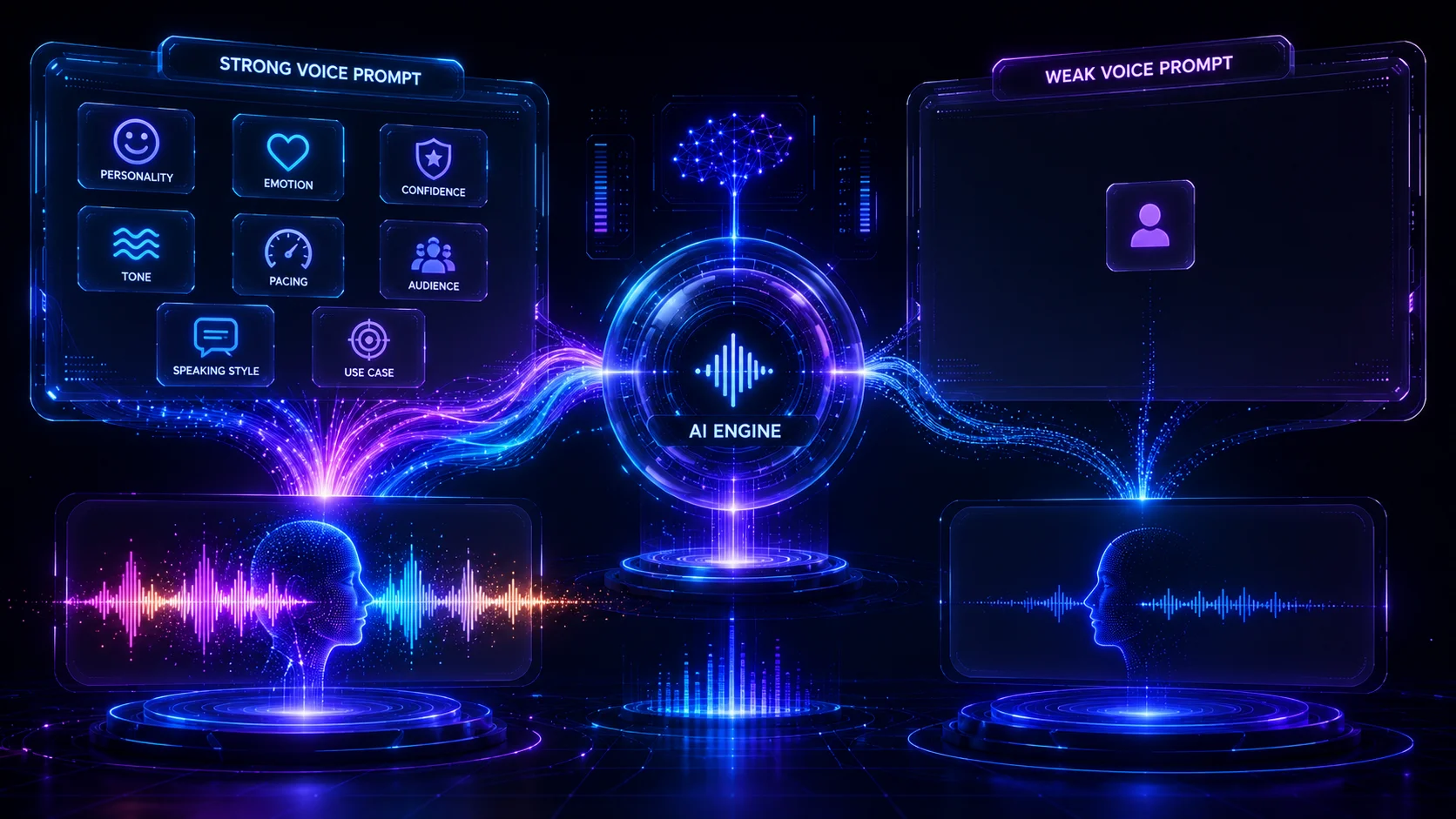
Prompt quality has a direct impact on AI Voice Design.
Instead of writing vague requests, describe the voice as if you were directing a professional voice actor.
A useful AI Voice Design prompt usually answers four questions.
Who is speaking?
Describe the character, narrator, or digital assistant.
Examples:
-
professional teacher
-
luxury brand narrator
-
friendly tour guide
-
confident CEO
-
fantasy warrior
How should the voice sound?
Explain the personality and vocal characteristics.
For example:
-
calm
-
energetic
-
trustworthy
-
humorous
-
elegant
-
confident
-
reassuring
What is the speaking style?
Describe how the AI should deliver the script.
Examples:
-
conversational
-
cinematic
-
educational
-
documentary
-
dramatic
-
formal
-
relaxed
AI Voice Design Prompt Formula
Providing context helps AI produce more appropriate delivery.
Examples include:
-
YouTube tutorials
-
podcasts
-
game dialogue
-
AI assistants
-
customer service
-
marketing videos
-
online courses
Prompt Formula
A practical template is:
Age + Personality + Tone + Speaking Style + Use Case
For example:
A friendly middle-aged teacher with a calm and encouraging tone, speaking naturally for online education videos.
Strong AI Voice Design Prompt Example
A confident male business presenter in his forties with a professional, trustworthy voice. Speak clearly at a moderate pace with natural pauses for software demonstrations and product presentations.
Weak AI Voice Design Prompt Example
Male voice.
The second example provides almost no creative direction, making it much harder for AI to generate a distinctive voice.
What Makes a Good AI Voice Design Prompt?
High-quality prompts usually include:
-
personality
-
emotion
-
pacing
-
tone
-
audience
-
intended application
Avoid describing only physical characteristics.
Instead of:
Young woman.
Try:
A cheerful young woman with a warm conversational tone and energetic delivery for lifestyle videos.
The additional context gives AI a much clearer creative direction.
💡 Expert Tip
Think of AI Voice Design as creative direction rather than technical configuration.
The more clearly you describe the identity of the speaker—not just the sound—the more likely the generated AI voice will match your expectations.
Well-written prompts consistently outperform vague instructions, especially when creating original characters, AI assistants, or long-term brand voices.
AI Voice Design Prompt Examples
One of the biggest advantages of Qwen3 AI Voice Design is the ability to create completely original voices using natural language.
Instead of describing what the speaker should say, describe who the speaker is, how they should sound, and where the voice will be used.
The following examples demonstrate different AI Voice Design workflows that can inspire your own projects.
AI Voice Design Prompt for Business Presenter
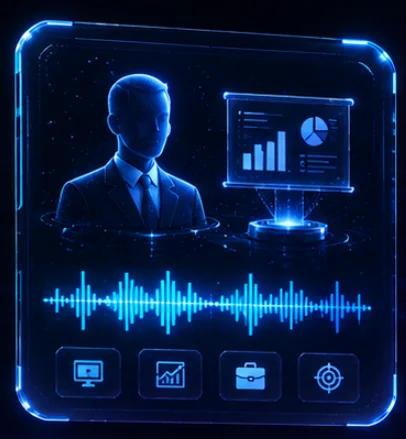
A confident business presenter in their forties with a clear, trustworthy voice. Speak at a moderate pace with professional pronunciation for software demonstrations and corporate presentations.
Best for
-
Product demos
-
Business presentations
-
Corporate training
-
Technical tutorials
AI Voice Design Prompt for Podcast Host
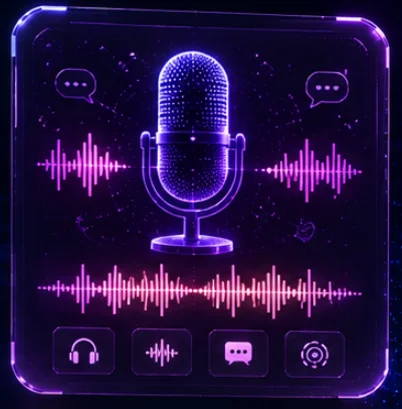
A warm and conversational podcast host with natural enthusiasm, relaxed pacing, and an approachable personality. The voice should feel authentic and engaging without sounding overly dramatic.
Best for
-
Podcasts
-
Interviews
-
Weekly shows
-
Creator content
AI Voice Design Prompt for Online Teacher
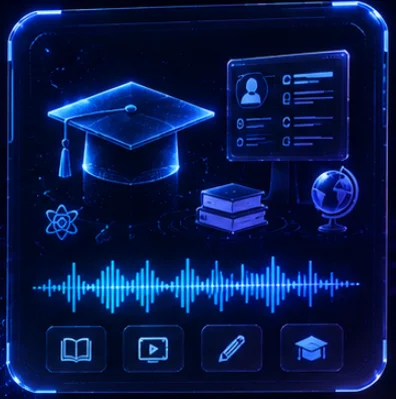
A patient and encouraging teacher with clear pronunciation, calm pacing, and a friendly tone suitable for educational videos and online learning.
Best for
-
Online courses
-
Tutorials
-
Educational platforms
-
Internal training
AI Voice Design Prompt for Customer Support
A polite and reassuring customer support representative with professional pronunciation, moderate speed, and a calm personality that inspires confidence.
Best for
-
Customer service
-
Help centers
-
AI assistants
-
Interactive kiosks
AI Voice Design Prompt for Fantasy Game Character
A courageous fantasy warrior with a confident voice, energetic delivery, and cinematic storytelling style suitable for role-playing games.
Best for
-
RPG dialogue
-
Story narration
-
NPC voices
-
Adventure games
AI Voice Design Prompt for Children's Story Narrator
A cheerful storyteller with expressive emotions, gentle pacing, and a warm personality suitable for reading children's stories.
Best for
-
Audiobooks
-
Children's education
-
Storytelling
-
Interactive learning
AI Voice Design Prompt for Luxury Brand Narrator
A sophisticated narrator with a calm, elegant, and premium tone. Speak naturally with confidence and refined pacing suitable for luxury advertising.
Best for
-
Luxury brands
-
Fashion
-
Automotive
-
High-end marketing
AI Voice Design Prompt for AI Productivity Assistant
A friendly digital assistant with natural conversational rhythm, professional pronunciation, and a helpful personality that makes daily interactions comfortable.
Best for
-
AI assistants
-
Productivity software
-
Smart devices
-
Workplace automation
Best Practices for AI Voice Design
Creating a great AI voice involves more than writing a long prompt. The most successful AI Voice Design workflows focus on clarity, consistency, and iteration rather than complexity.
Describe Personality Before Appearance
Instead of focusing only on age or gender, describe how the speaker communicates.
For example, instead of:
Young male voice.
Use:
A confident young entrepreneur with an energetic, optimistic speaking style that inspires trust and keeps listeners engaged.
Personality, delivery style, and communication goals usually have a much greater impact than physical characteristics alone.
Include the Intended Use Case
Context helps AI understand how the voice should perform.
Instead of:
Calm female voice.
Use:
A calm female narrator for medical education videos with clear pronunciation, reassuring delivery, and moderate speaking speed.
Adding context almost always produces more natural and consistent AI voices.
Write Naturally
Treat AI Voice Design like directing a professional voice actor.
Instead of listing disconnected keywords, write complete descriptions that explain who the speaker is, how they should sound, and who they are speaking to.
Natural language prompts consistently outperform keyword lists.
Refine One Variable at a Time
If the generated voice is already close to your target, avoid rewriting the entire description.
Instead, adjust only one characteristic before generating another version.
For example:
-
increase confidence
-
reduce emotional intensity
-
slow the pacing
-
sound more conversational
-
make the delivery warmer
This makes it much easier to understand which prompt adjustment produced the improvement.
Save Successful Prompt Templates
Once you create an AI voice that matches your project, save the original prompt.
A reusable prompt library helps maintain consistent voice identity across future videos, applications, AI assistants, and commercial content.
Common AI Voice Design Mistakes
Even experienced creators sometimes struggle to generate the voice they imagine.
In most cases, the problem is not the AI model—it is the prompt.
Below are the most common AI Voice Design mistakes and how to avoid them.
Mistake 1 — Writing Prompts That Are Too Short
Very short prompts provide almost no creative direction.
Instead of:
Female voice.
Try:
A confident female technology presenter with a warm personality, professional pronunciation, and natural conversational delivery.
The additional context allows AI to generate a much more distinctive voice.
Mistake 2 — Combining Too Many Conflicting Characteristics
Trying to combine contradictory traits often produces inconsistent results.
For example:
Calm, energetic, serious, humorous, dramatic, quiet.
Instead, decide which characteristics matter most for your project and prioritize those first.
Simple, focused prompts usually generate better voices.
Mistake 3 — Ignoring the Audience
A voice designed for children's stories should sound very different from one created for financial presentations.
Before writing your prompt, ask yourself:
-
Who will listen?
-
What is the purpose?
-
What emotional response should the voice create?
Thinking about the audience usually leads to better prompt design.
Mistake 4 — Expecting Perfect Results Immediately
AI Voice Design is an iterative creative process.
Most creators generate several versions before selecting the best one.
Small prompt refinements almost always produce better results than rewriting the entire description from scratch.
Mistake 5 — Forgetting About the Script
Even an excellent AI voice may sound different depending on the script.
Always test your designed voice using text that closely resembles your real project before making final production decisions.
Real-World AI Voice Design Use Cases
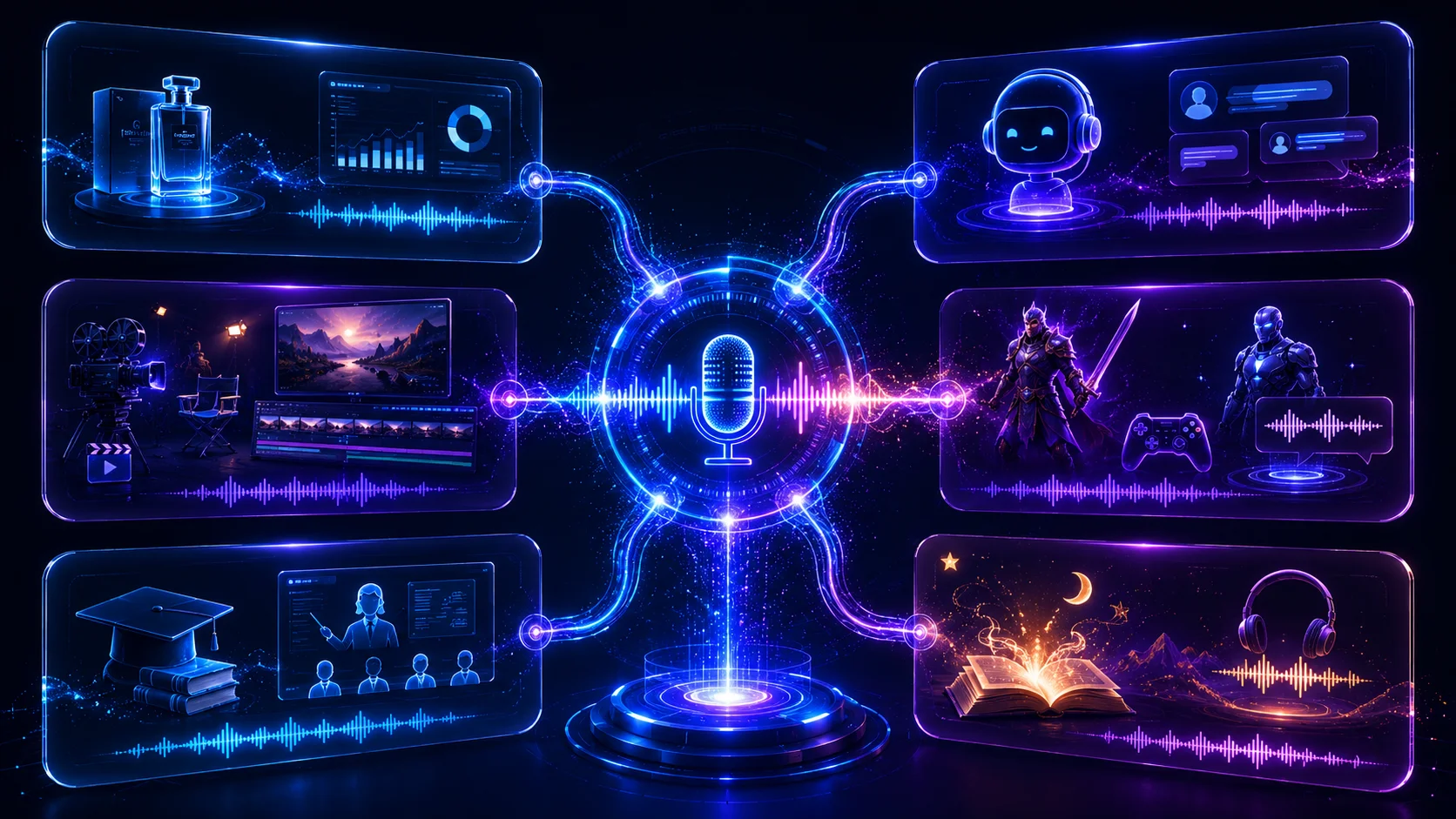
One reason AI Voice Design has become increasingly popular is its flexibility.
From independent creators to global businesses, custom AI voices are now used in a wide range of production workflows.
AI Brand Voice Creation
Companies use AI Voice Design to build recognizable digital brand voices for:
-
product videos
-
onboarding tutorials
-
customer support
-
marketing campaigns
-
corporate training
Maintaining one consistent AI voice improves brand recognition across every customer interaction.
AI Assistants
Design friendly, professional, premium, or highly specialized AI assistants with unique personalities.
Applications include:
-
productivity software
-
smart devices
-
virtual receptionists
-
customer service
-
enterprise AI agents
Video Content Creation
Many creators design original narrators for:
-
YouTube videos
-
documentaries
-
explainer videos
-
educational channels
-
promotional content
AI Voice Design eliminates the need to repeatedly record similar narration.
Game Development
Game studios use AI Voice Design to rapidly prototype voices for:
-
heroes
-
villains
-
companions
-
NPCs
-
fantasy creatures
Creating original AI voices early in development helps accelerate dialogue production before professional recording begins.
Online Education
Teachers and educational platforms create engaging digital instructors for:
-
online courses
-
language learning
-
corporate training
-
certification programs
-
interactive tutorials
Different personalities can be designed for different learning experiences.
Storytelling and Entertainment
AI Voice Design is also widely used for:
-
audiobooks
-
children's stories
-
interactive fiction
-
visual novels
-
animated content
-
podcast narration
Original digital voices help creators establish distinctive storytelling styles without relying on prerecorded actors.
Qwen3 AI Voice Design vs ElevenLabs AI Voice Design
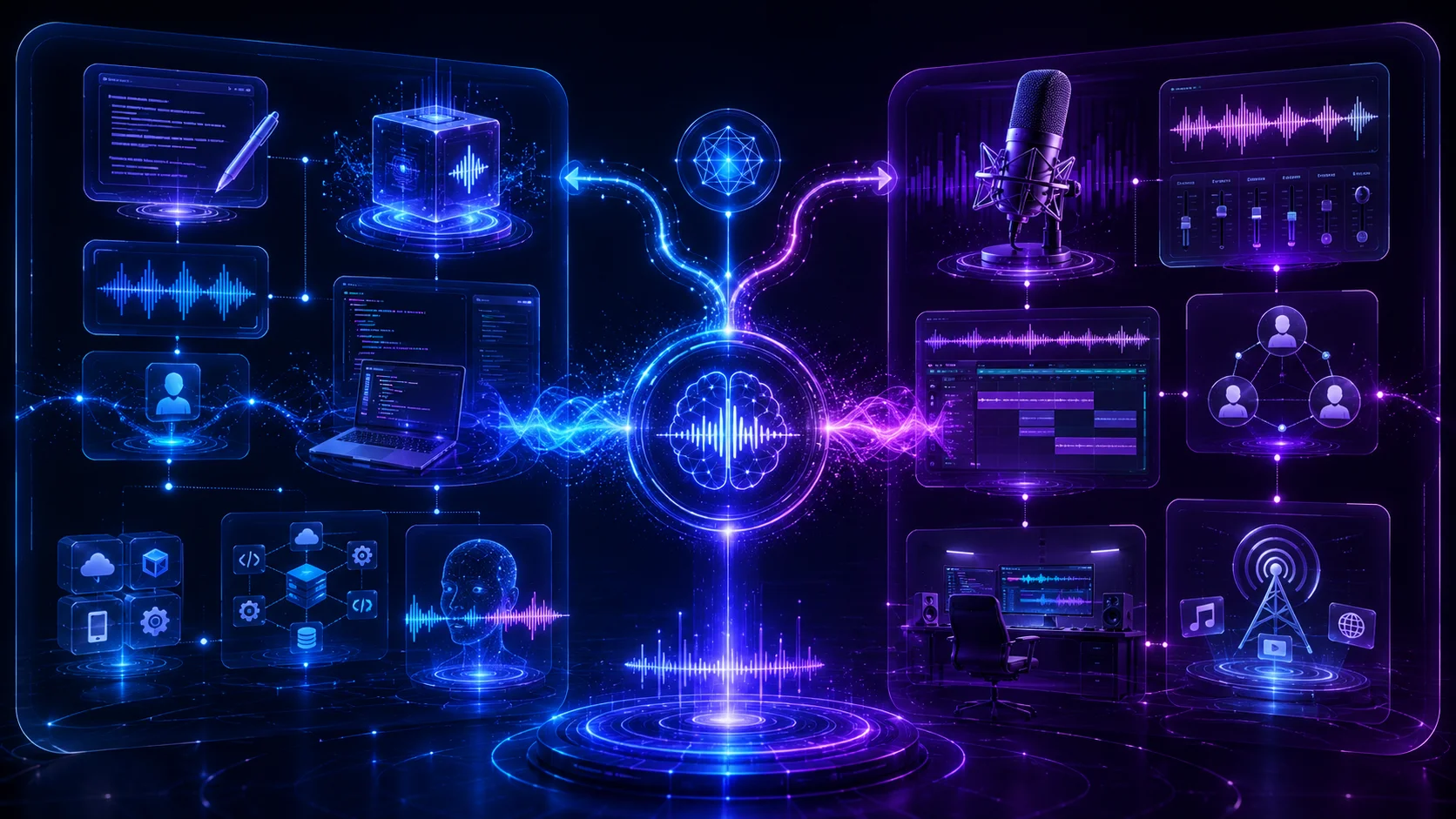
Both Qwen3 AI Voice Design and ElevenLabs AI Voice Design enable creators to generate original AI voices from text descriptions, but they are designed with different priorities.
Choose Qwen3 AI Voice Design if you:
-
already use the Qwen AI ecosystem
-
want prompt-driven AI voice creation
-
need integration with AI development workflows
-
build AI-powered applications
-
prefer open and flexible voice generation
Choose ElevenLabs AI Voice Design if you:
-
want a mature commercial voice platform
-
frequently create professional voiceovers
-
need collaboration and project management features
-
prioritize a polished web-based creator experience
Neither platform is universally better.
The best choice depends on your production workflow, deployment requirements, creative goals, and preferred AI ecosystem.
Frequently Asked Questions
What is Qwen3 AI Voice Design?
Qwen3 AI Voice Design creates completely original synthetic voices from natural language descriptions instead of reference recordings.
How is AI Voice Design different from AI Voice Cloning?
AI Voice Design generates entirely new voices based on descriptive prompts.
AI Voice Cloning reproduces the characteristics of an existing speaker using reference audio.
Do I need reference audio?
No.
One of the biggest advantages of AI Voice Design is that it creates original voices without requiring any voice recordings.
What makes a good AI Voice Design prompt?
The best prompts describe:
-
personality
-
emotional tone
-
speaking style
-
intended audience
-
use case
rather than only age or gender.
Can I create voices for fictional characters?
Yes.
AI Voice Design is especially suitable for games, animation, storytelling, virtual assistants, and digital characters.
Can businesses build branded AI voices?
Yes.
Many companies create reusable AI brand voices for marketing, onboarding, customer support, and educational content.
How can I improve AI voice quality?
Use detailed prompts, include clear context, refine one variable at a time, and test voices with scripts similar to your real production content.
Can I reuse the same AI voice?
Yes.
Saving successful prompts or reusable voice profiles helps maintain consistent voice identity across future projects.
Does AI Voice Design support multiple languages?
Language support depends on the specific platform and implementation.
Always check the latest official documentation for supported languages.
Who should use Qwen3 AI Voice Design?
Qwen3 AI Voice Design is suitable for:
-
creators
-
educators
-
developers
-
marketers
-
businesses
-
game studios
-
AI application developers
-
anyone who needs original AI-generated voices
Final Thoughts
Qwen3 AI Voice Design expands the possibilities of modern AI speech generation by allowing creators to design completely original voices instead of relying on predefined speakers or cloned recordings.
Whether you're building AI assistants, producing YouTube videos, developing games, creating educational courses, or establishing a recognizable brand voice, AI Voice Design provides significantly greater creative flexibility than traditional voice cloning workflows.
The quality of the final AI voice depends primarily on the quality of your prompt. Descriptions that clearly explain personality, tone, speaking style, emotional characteristics, and intended use consistently produce more expressive and believable voices than short, generic instructions.
As generative AI continues to evolve, AI Voice Design is becoming one of the most valuable workflows for anyone who wants to create unique digital voices rather than simply reproduce existing ones.
Call to Action
Create Your Own AI Voice with Qwen3 AI Voice Design
Ready to create a completely original AI voice?
Start experimenting with Qwen3 AI Voice Design by writing detailed voice descriptions, refining your prompts through iteration, and exploring different speaking styles for different scenarios.
Whether you're designing AI assistants, creating game characters, producing educational videos, building digital narrators, or developing a consistent AI brand voice, thoughtful AI Voice Design prompts will help you generate voices that sound more natural, expressive, and memorable.
Method note
How We Tested
This guide is based on official model documentation and the current qwen3tts.net implementation. It does not represent an independent benchmark unless explicitly stated.
Read the full methodologySources & evidence
Primary sources for this guide
- Qwen3-TTS official model repository
Official model documentation · QwenLM
- Qwen3-TTS CustomVoice model card
Official model page · Qwen
Try the workflow
Design a Custom AI Voice with Qwen3 TTS
Describe the speaker you want, then generate a voice to test and refine.
Open AI Voice Design